 English (UK)
 English (US)
 Français
 Deutsch
 Español
 Italiano
 Nederlands
 简体中文
Britlens practical guide
Phones, SIM cards, Wi-Fi and plugs in Britain
The choices for staying online, what to check before you pay for anything, and what Ofcom says about coverage. We do not recommend a provider and carry no offers.
Facts last checked Oct 25, 2026. Britlens is independent: see our editorial policy.
Your options
- Keep your home SIM and roam. Simplest, but charges depend entirely on your home plan.
- Buy a UK SIM card. A physical SIM from a UK provider gives you a UK number and a UK data plan. It needs an unlocked phone.
- Install an eSIM. A digital SIM that you add by scanning a code, with no card to swap. It needs an unlocked phone that supports eSIM.
- Rely on Wi-Fi. Fine for maps and messages while you are in hotels and cafés, but not much help on the move.
Which is cheapest depends on how long you stay, how much data you use and what your home provider charges, and those prices change. We therefore compare none of them. Our shorter notes are in eSIM and plugs and the first-time guide.
Roaming on your home plan
Before you fly, ask your home provider three things: whether roaming in the UK is included in your plan, what it costs if not, and whether there is a daily or monthly cap on charges. Switch off data roaming if you do not want to use it by accident, and use Wi-Fi to avoid bill surprises. Charges are set by your own provider, not by the UK networks, so no UK page can tell you the figure.
UK SIM or eSIM
- Check your phone is unlocked. A phone locked to your home network will not accept another provider’s SIM or eSIM. Your home provider can tell you.
- Check eSIM support in your phone’s settings or manual before you buy an eSIM plan.
- Read what the plan includes: data allowance, how long it lasts, whether you get a UK phone number, and what happens when the data runs out.
- Check coverage where you will be, not just in London (see below). eSIM plans sold to visitors may use one of the UK networks, so the coverage question is the same.
- Keep your home SIM safe if you swap cards, since it may hold your banking codes.
eSIM on the UK networks
What each of the four UK mobile networks’ own help pages said about eSIM when we read them on Nov 1, 2026. We list no prices, rank no one and earn nothing from these links. eSIM plans sold to visitors may use one of these networks, so the coverage check below still applies.
| Network | What its eSIM page said | Official page |
|---|---|---|
| O2 | eSIM for Pay Monthly, SIM Only and Pay As You Go customers who are eligible; a Pay As You Go eSIM can be ordered online or in an O2 store; the device must support eSIM; most activations take minutes, some up to 24 hours.[1] | O2 eSIM help |
| Three | eSIM with compatible devices or SIM Only plans on its Three Your Way plans; older devices may not be compatible. The page did not mention Pay As You Go eSIM.[2] | Three eSIM page |
| Vodafone | A help article for setting up an eSIM on a compatible phone. It did not say which plans include eSIM.[3] | Vodafone eSIM help |
| EE | Not read: the page did not load for our reader, so we state nothing about it.[4] | EE eSIM help |
Terms change. Read the provider’s own terms before you buy, and check your phone supports eSIM and is unlocked.
Wi-Fi
Many hotels, cafés, stations and museums offer Wi-Fi. Treat public Wi-Fi as open to others: avoid banking or entering passwords on it where you can, and use cellular data instead for anything sensitive. Wi-Fi calling on your phone can also help where the cell signal is weak indoors, if your provider supports it.
Coverage and rural areas
Ofcom’s free checker lets you enter a postcode and see predicted mobile coverage by provider.[5] It predicts; it cannot tell you about maintenance or faults in an area.[5] Try it for the places you plan to stay and walk.
In its spring 2026 update, Ofcom said that the share of the UK landmass predicted to have good 4G coverage from all of the networks reached 84%, and that predicted 4G coverage from at least one network remained at 96%.[6] The gap between those two figures is why a visitor’s phone can work in one valley and not the next: the network that has a signal there may not be yours. Ofcom’s update noted gains in rural areas, but these are predictions for the whole landmass, not a promise for any one road or footpath, so check remote routes (for example in the Highlands, Wales or the Lake District) before you rely on a signal. Download offline maps and any tickets before you set out.
Trains are a weak spot too. Ofcom’s research on 24 railway segments in England, Scotland and Wales found that mobile performance was poor on between 58% and 83% of tests, depending on the network.[7]


Older phones
Ofcom says 3G is already switched off in the UK, and the 2G networks will follow: every network operator has told the government it will switch 2G off by 2033 at the latest, and some may go sooner.[8] A 4G or 5G phone is unlikely to be affected. A phone that only supports 2G or 3G may not work at all.[8]
Plugs and voltage
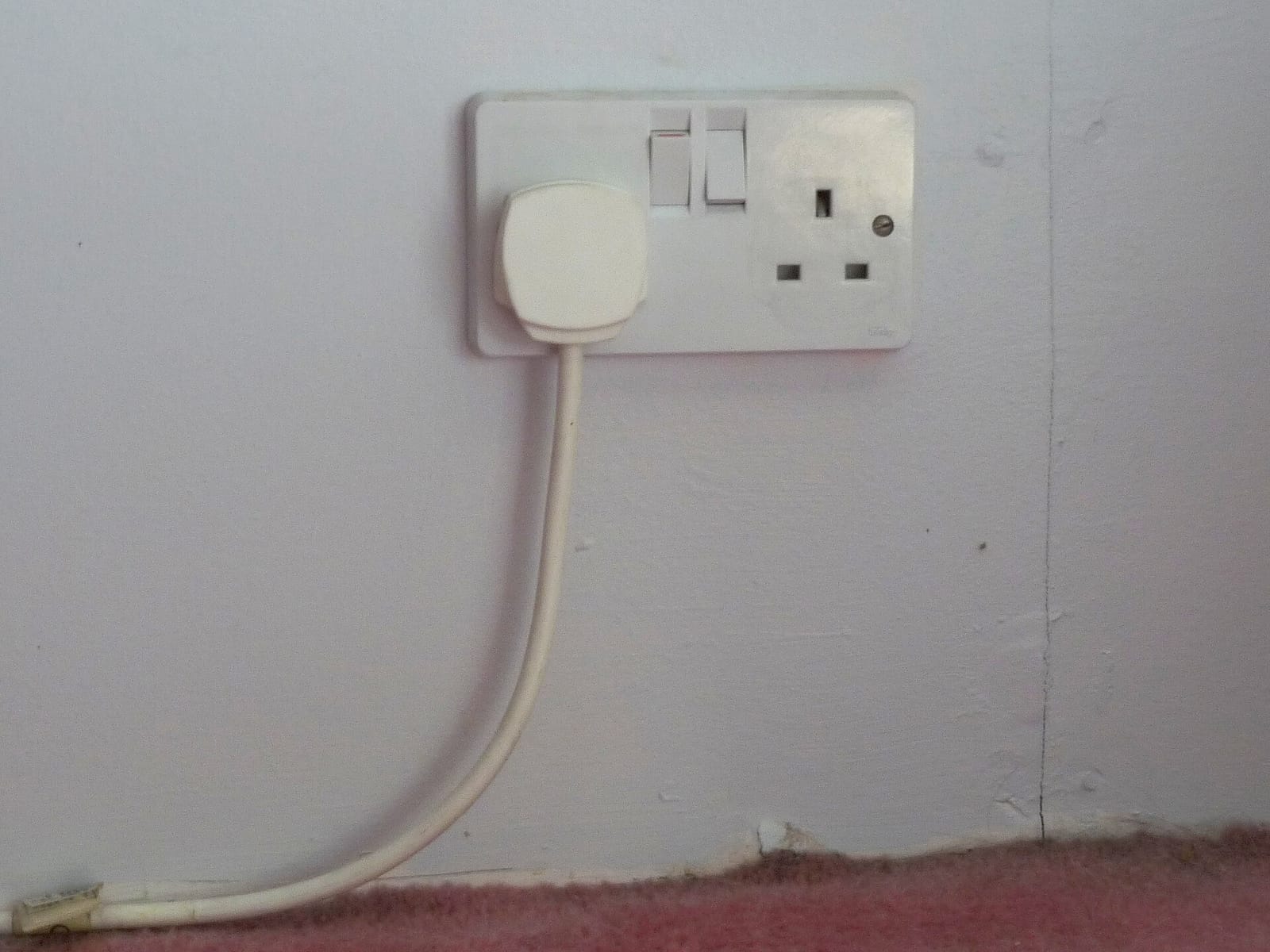
The UK uses the Type G plug (standard BS 1363), with a mains supply of 230 V at 50 Hz.[9][10] Bring a Type G adapter, or buy one in an airport shop. Most phone and laptop chargers say “100–240 V” on the label and only need an adapter; a device that does not list 230 V needs a voltage converter, or should be left at home. Our packing checklist includes it.
Sources
Fetched and read on Oct 25, 2026. Rules, fees and coverage change: check the source before you rely on it.
- What is an eSIM and how to set it up (opens in new tab), O2 (read Nov 1, 2026)
- Discover eSIM (opens in new tab), Three (read Nov 1, 2026)
- eSIM help (opens in new tab), Vodafone UK (read Nov 1, 2026)
- eSIM help (not read: page did not load for our reader) (opens in new tab), EE
- Broadband and cell coverage checker (opens in new tab), Ofcom
- Connected Nations update: spring 2026 (opens in new tab), Ofcom
- Signal struggles on trains widespread, Ofcom research finds (opens in new tab), Ofcom
- Switching off the UK’s 2G and 3G mobile networks: what you need to know (opens in new tab), Ofcom
- Mains electricity by country (opens in new tab), Wikipedia
- AC power plugs and sockets: BS 1363 (Type G) (opens in new tab), Wikipedia